
A practical afternoon project for families: freeze an aging parent's credit at all three bureaus, claim their Social Security, Medicare, IRS, and mail accounts before a thief does, learn the scam scripts that target older adults, and keep a who-to-call list ready.

A one-afternoon plan for adult children and their parents: freeze credit at all three bureaus, claim the government accounts a thief would love to open first, agree on one simple rule for suspicious calls, and keep a short who-to-call list where everyone can find it.
Educational information only. This guide is not legal, financial, or tax advice, and no checklist can guarantee that identity theft or a scam won't happen. Rules, websites, and phone numbers were checked on November 3, 2026, and they do change. Before you act, confirm the details on the official site linked in each step. If your parent may be in danger or is being pressured right now, call 911 or your local emergency number.
Some links may be affiliate links; official government and credit-bureau links are not. If you buy through an affiliate link, YouRetire may earn a commission at no extra cost to you. See our editorial standards.
Why this deserves a family afternoon now
Most families think about identity theft the day after something goes wrong. This guide is about the afternoon before, when a few free steps can make your parent's name, Social Security number, and Medicare number much harder to misuse.
The numbers explain why it's worth the time.
- Losses reported to the FTC keep climbing. In its Protecting Older Consumers 2025–2026 report (October 2026), the Federal Trade Commission says adults 60 and older reported more than $3 billion in fraud losses in 2025, up from $2.4 billion in 2024 and roughly $600 million in 2020.
- Reported losses are only part of the picture. Because most fraud is never reported, the FTC estimates the true cost of fraud against older adults in 2025 at somewhere between $13.3 billion and $119.5 billion.
- The oldest parents lose more per incident. In the same report, the median reported loss for people 60 and older was about $900. For people 80 and older, it was $2,000.
- Family is already part of the story. About 17% of fraud reports for people 80 and older were filed by someone else, often a relative or caregiver.
The FBI's Internet Crime Complaint Center (IC3) tracks a separate set of complaints. Its 2025 annual report counted 201,266 complaints from people 60 and older, with $7.748 billion in reported losses and an average loss of about $38,500. That's a separate dataset from the FTC's, so the figures shouldn't be added together, but both point the same way.
Identity theft is when someone uses your parent's personal information without permission. A scam is when someone talks your parent into paying them or handing that information over. The two feed each other, since a convincing call is one of the easiest ways to get the numbers a thief needs, so this checklist covers both.
For a broader look at warning signs and financial abuse, see our guide to protecting older adults from scams and financial abuse. This guide focuses on the hands-on setup.
What this guide is (and isn't)
It is:
- A prevention checklist you can work through with your parent in one long afternoon, plus a few follow-ups
- A plain-language field guide to the scam scripts that target older adults
- A short who-to-call list for the day something looks wrong
It isn't:
- A review or ranking of paid identity-protection services. The core steps here are free.
- Legal or financial advice, or a guarantee. A thief can still get lucky; the aim is to close the easy doors and make problems show up sooner.
- A full recovery plan. If identity theft has already happened, start with our Older Adult Identity Theft Recovery Checklist, which walks through the first 72 hours, cleaning up credit reports, and a full year of monitoring.
If you're already dealing with identity theft, go straight to that recovery checklist and IdentityTheft.gov.
How seniors get targeted: a family field guide
Scammers don't need to be clever with technology. They need your parent to believe a story for a few minutes. Knowing the common stories ahead of time takes away much of their power. Table 1 below sums up the house rule for each.
Government impostors (Social Security, Medicare, IRS, "the police"). The caller says your parent's Social Security number is suspended or there's a warrant. The Social Security Administration (SSA) describes scam signs as the "four P's": scammers pretend to be from a trusted organization, claim a problem or a prize, pressure you to act now, and demand you pay a specific way. SSA says it will never threaten arrest, say your number is suspended, demand gift cards, wire transfers, crypto, cash, or gold, send a courier, ask for secrecy, or ask you to move money to a "protected" account. Cost-of-living increases are automatic; there is no "activation" fee. SSA's inspector general adds that caller ID can be faked.
Medicare and medical identity theft. Someone offers a "free" brace or test kit, or asks to "verify" a Medicare number. Medicare says it will never call to sell you anything or visit your home, and that you should guard your Medicare number like a credit card. For reporting steps, see our guide to Medicare fraud and the Senior Medicare Patrol.
Tech support and pop-ups. A warning fills the screen, says the computer is infected, and lists a phone number. The FTC says real security warnings never ask you to call a number, and legitimate companies won't contact you out of the blue about a computer problem. The FBI warns never to give remote access to someone who contacted you. In the FTC's 2026 report, older adults were 324% more likely than younger adults to report losing money to tech support scams. Separately, IC3 counted tech and customer support fraud as the second most common complaint type from people 60 and older in 2025, with about $1.04 billion in reported losses.
Bank or business impersonation. A "fraud department" caller says your parent's accounts are compromised and the money must be moved to a "safe" account, withdrawn as cash, or turned into gift cards. The FTC's "Never Ever" rule: the government will never tell you to move money to protect it or to keep a call secret. A real bank won't either.
Romance and "new friend" investment scams. A warm stranger online becomes a close friend, then needs help with an emergency or offers a can't-miss investment, often in crypto. The FTC's advice: never send money, gift cards, or crypto to someone you haven't met in person. IC3's 2025 report puts reported romance and confidence fraud losses for people 60 and older at about $584 million.
Family emergency calls, including cloned voices. A panicked voice that sounds like a grandchild begs for bail money and secrecy. The FTC warns that scammers can use AI to imitate a loved one's voice.
Phishing texts and emails. A fake alert about a package, a locked account, or an unpaid toll, with a link to "fix it." Phishing and spoofing was the most common complaint type from people 60 and older in IC3's 2025 data.
Mail theft and check washing. A check is stolen from a mailbox, washed, and rewritten for more money to someone else. Step 5 covers the defenses.
Someone close. Not every risk is a stranger. The Consumer Financial Protection Bureau (CFPB) lists warning signs of financial exploitation such as unexplained withdrawals, unpaid bills, new names on accounts, statements that stop arriving, sudden gifts to a new "friend," and a parent who seems fearful or isolated. The person involved can be a caregiver, a relative, or even an agent under power of attorney.
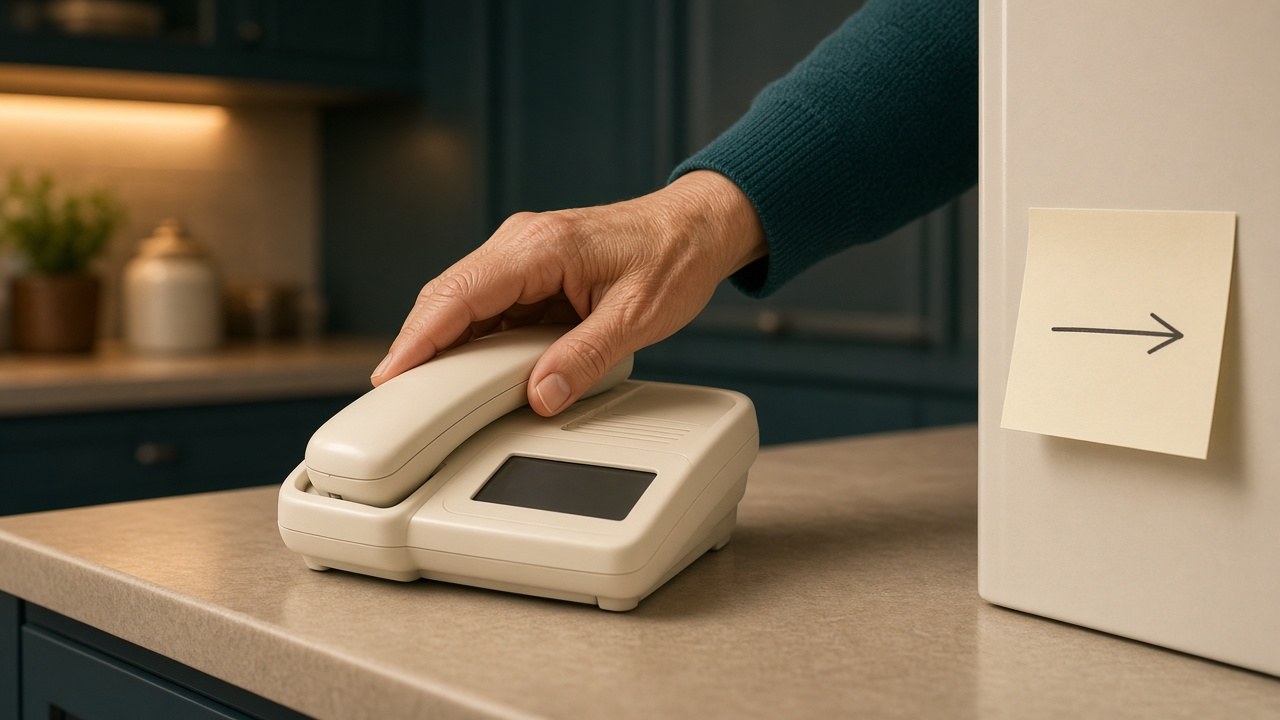
Table 1. Scam script → red flag → the house rule
| Scam type | What it sounds like | Red flag | House rule |
|---|---|---|---|
| Government impostor | "Your Social Security number is suspended." | Threats, urgency, a demand to pay a specific way | Hang up. Call SSA at 1-800-772-1213 or go to ssa.gov yourself. |
| Medicare / medical | "We're sending a free brace. Just confirm your Medicare number." | Unsolicited offer; asks for your number | Share the Medicare number only with your own providers or SHIP. |
| Tech support / pop-up | "Your computer is infected. Call this number now." | A phone number in a warning; a request for remote access | Close the window or restart. Never let a caller into your computer. |
| Bank / business impersonation | "Your account is compromised. Move your money to a safe account." | Moving money "to protect it"; keeping it secret | Hang up. Call the number on the back of your card. |
| Romance / new friend | "I need help with a hospital bill" or "This investment can't lose." | Someone you've never met asks for money or crypto | Never send money, gift cards, or crypto to someone you haven't met in person. |
| Family emergency | "Grandma, it's me. I'm in trouble. Don't tell Mom." | Panic plus secrecy | Hang up. Call the person or another relative on a known number. |
| Phishing text / email | "Your package is held. Tap to pay the fee." | A link and a deadline | Don't tap. Go to the company's own site or app directly. |
| Mail / check theft | (No call; a check you mailed is cashed for a different amount.) | Missing checks or cards you expected | Use post office slots, indelible ink, and online check images. |
| Someone close | "I'll handle the bills; you don't need to see the statements." | Missing statements, new names on accounts, isolation | Keep a second set of eyes on accounts, with your parent's consent. |
The family verification rule (do this first; it costs nothing)
Before you touch a single website, agree on one rule as a family. It is the step most likely to stop a scam in the moment, because it doesn't rely on spotting every trick.
The rule: If anyone calls, texts, emails, or shows up asking for money, personal information, or access to a device, hang up and call back on a number you already have: the back of your card, a paper statement, or the agency's official website. And before paying anyone by gift card, wire transfer, cryptocurrency, a cash courier, or a Bitcoin ATM, call [named person] first.
That last part matters. Scammers work hard to keep their target away from anyone who might say "wait." A named person gives your parent permission to pause. Write the name and number into the rule.
Some families also agree on a code word for real emergency calls. That's a family practice, not an official rule; the FTC's core advice is still to verify by calling a number you already know.
How you bring this up matters as much as the rule. A few talking points that tend to help:
- "These people are professionals." Scam call centers rehearse scripts all day. Falling for one is not a sign of being foolish or "losing it."
- "This is for me, too." Many adult children adopt the same rule themselves. It's easier to agree to a family rule than a rule just for Mom or Dad.
- "If it happens, tell me, and we'll fix it together." SSA asks people to report Social Security scams to its inspector general. A parent who fears being scolded is less likely to mention a strange call.
You'll find a fridge-card version of this rule in the printable checklists at the end of this guide.
Step 1: Freeze credit at all three bureaus
A credit freeze is the strongest free tool most families have. It stops lenders from pulling your parent's credit report to open a new account, which blocks most "new account" identity theft at the source.
What a freeze does, according to the FTC and CFPB:
- It's free to place and free to lift.
- It lasts until you lift it. There's nothing to renew.
- It doesn't affect your parent's credit score, and it doesn't stop them from using cards they already have.
- You have to contact each of the three bureaus separately: Equifax, Experian, and TransUnion. A freeze at one doesn't carry over to the others.
- When your parent wants to apply for new credit, they can lift the freeze temporarily, then let it go back on.
What a freeze doesn't do. The CFPB notes that a freeze won't stop misuse of accounts your parent already has, like a stolen card number or a hacked bank login, which is why the later steps matter. It also notes that the federal freeze law doesn't cover employment, tenant-screening, or insurance checks.
How to do it. Sit down together, ideally on your parent's own device. Each bureau lets you freeze online or by phone (Equifax lists (888) 298-0045). Each will ask your parent to confirm their identity and usually to create a login or PIN. Write down the bureau, the login or PIN, and the date, and put it in the family identity folder, not on a sticky note by the computer.
If your parent can't do it themselves. A 2018 federal law, explained in an FTC alert, lets someone with legal authority place a freeze for a "protected consumer," including an incapacitated adult or someone with a guardian or conservator. You'll typically need proof of your parent's identity, proof of your own identity, and proof of authority, such as a valid power of attorney, a guardianship or conservatorship document, or a court order. These requests usually go by mail:
- TransUnion says protected-consumer freezes are by mail only, with a written request, proof of authority, and ID for both people, using copies, not originals, sent to TransUnion, P.O. Box 380, Woodlyn, PA 19094.
- Equifax has a security-freeze form for an incapacitated adult that asks for proof of identity for both people plus proof of authority.
- Experian has its own protected-consumer request process. Download the current form and mailing address directly from experian.com before you mail anything.
Table 2. Credit freeze vs. fraud alert vs. extended fraud alert
| Credit freeze | Initial fraud alert | Extended fraud alert | |
|---|---|---|---|
| What it does | Blocks most new-credit checks until lifted | Tells lenders to take extra steps to verify identity | Same as initial alert, for longer; also removes the person from prescreened offer lists for 5 years |
| Who can get it | Anyone (or an authorized representative for a protected consumer) | Anyone who suspects identity theft | An identity theft victim with an FTC Identity Theft Report or police report |
| How long it lasts | Until you lift it | 1 year, renewable | 7 years |
| Cost | Free | Free | Free |
| How many bureaus to contact | All three, separately | One; it notifies the other two | One; it notifies the other two |
For prevention, the freeze is the main event. Fraud alerts are usually a response once you suspect a problem; they're covered briefly in "If it happens anyway" below.

Freeze links (official, free, not affiliate links): Equifax credit freeze · Experian security freeze · TransUnion credit freeze
Step 2: Check credit reports: free, weekly, one official site
A freeze stops most new accounts. Credit reports show you whether anything got through, or whether something was opened before the freeze went on.
Use one site: AnnualCreditReport.com. It's the only website authorized by federal law to provide free credit reports from all three bureaus. Your parent can get a free report from each bureau every week, and the FTC says that weekly access is now permanent. Checking your own report doesn't hurt your credit score.
You can also request reports by phone at 1-877-322-8228, or by mail using the request form on the site (Annual Credit Report Request Service, P.O. Box 105281, Atlanta, GA 30348-5281). Reports requested by phone or mail arrive within about 15 days. To request, your parent will need their name, Social Security number, date of birth, and current address, plus a previous address if they've moved in the last two years.
Watch for copycats. The FTC warns about lookalike "free credit report" sites and callers who claim to be from AnnualCreditReport.com. Type the address in yourself or use the link below, and remember that the official site won't call your parent.
Pick a rhythm your family will keep. There's no official schedule. Weekly is available, but many families do better with one bureau a month on rotation, or all three twice a year on dates they'll remember.
What to look for on each report:
- Accounts your parent doesn't recognize
- Credit inquiries from lenders they didn't apply with
- Addresses where they've never lived
- Names or spellings that aren't theirs
- Balances or late payments that don't match their own records
If something looks wrong, look up the lender or bureau yourself, then see "If it happens anyway" below.
Official free reports (not an affiliate link): AnnualCreditReport.com · 1-877-322-8228
Step 3: Claim the government accounts before a thief does
This surprises many families: a strong way to protect a government account is to open it yourself. If your parent has no online Social Security, Medicare, IRS, or mail account, a thief with their information may be able to create one in their name.
Social Security: my Social Security. SSA says creating the account takes away the risk of someone else creating one in your name. Sign-up is through Login.gov or ID.me. One important rule: only the person can create and use their own account. SSA says no one can do it on their behalf, even with permission. So you can sit beside your parent and help them through it on their device, but they need to be the one setting it up.
SSA also offers extra locks:
- An eServices block and a Direct Deposit Fraud Prevention block, which stop online changes to direct deposit or address (including bank-initiated auto-enrollment changes). Removing them requires contacting a local office.
- Block Electronic Access, by calling 1-800-772-1213 (TTY 1-800-325-0778), which blocks online and automated phone access for everyone, including your parent. That's usually for a parent whose number is known to be compromised or who will never use online services. Removing it requires proving identity.
If a family member will manage your parent's benefits, SSA uses its own representative payee program rather than a power of attorney.
Medicare: a Medicare.gov account. An online account shows claims as they're processed. Medicare suggests comparing statements to your calendar of appointments. If something was billed that never happened, call 1-800-MEDICARE (1-800-633-4227); for Medicare Advantage or Part D plan problems, Medicare lists I-MEDIC at 1-877-772-3379. More detail is in our Medicare fraud and Senior Medicare Patrol guide.
IRS: an Identity Protection PIN. An IP PIN is a six-digit number that prevents someone else from filing a federal tax return with your parent's Social Security number. The IRS says anyone with an SSN or ITIN who can verify their identity can get one. It's valid for one calendar year, and a new one is issued each year. The fastest route is the IRS online account or app; there's also a paper application (Form 15227) for people under certain income limits (check the IRS page for current limits) and an in-person option. The IRS never asks for the IP PIN. Form 14039, the Identity Theft Affidavit, is only for suspected or confirmed tax identity theft, not prevention.
USPS: Informed Delivery. This free service sends daily previews of incoming letter mail, which helps spot missing checks or cards. Sign-up requires identity verification, and USPS mails a welcome letter to the address. That letter is a useful alarm: if your parent receives one and didn't sign up, someone else did, and the account should be deactivated. USPS says activation takes about three business days, sometimes longer.
Table 3. Government account checklist
| Account | Why it matters | Who must set it up | Where | Done |
|---|---|---|---|---|
| my Social Security | Stops someone else from opening it in your parent's name; shows benefit and address changes | Your parent only (you can sit with them) | ssa.gov/myaccount (via Login.gov or ID.me) | ☐ |
| SSA eServices / Direct Deposit Fraud Prevention block | Blocks online changes to direct deposit or address | Your parent (contact SSA) | ssa.gov/fraud or 1-800-772-1213 | ☐ |
| Medicare.gov account | See claims early; spot services never received | Your parent (with help) | medicare.gov | ☐ |
| IRS IP PIN | Blocks a fake tax return filed with their SSN | Your parent (verifies identity) | irs.gov, IRS online account or app | ☐ |
| USPS Informed Delivery | Previews mail; welcome letter flags a sign-up they didn't make | Your parent (verifies identity) | usps.com/manage/informed-delivery.htm | ☐ |

Step 4: Phone, email, and device defenses
You don't need to become your parent's IT department. A handful of settings and habits cover most of the risk.
Passwords and sign-in
- ☐ Unique passwords plus multi-factor sign-in for email, banking, Social Security, and Medicare, as SSA recommends. Email matters most, because that's where password resets go. A password manager or a written list your parent keeps safe beats one password everywhere.
- ☐ Agree on where passwords live and who can reach them in an emergency. For the long view of digital accounts, see our digital downsizing guide for older adults. Our guide to passwords, phones, and two-factor access after a parent dies explains why planning access early helps later, too.
Devices
- ☐ Turn on automatic updates for the phone, tablet, and computer, and keep security software current.
- ☐ Practice the pop-up rule. If a warning shows a phone number, don't call it. Close the browser or restart.
- ☐ No remote access for callers. The FBI warns never to give remote control of a computer to someone who contacted you. If your parent already has a remote-access app installed from a past "support" call, remove it together.
Phone and carrier
- ☐ Ask the mobile carrier about account protection. Many carriers offer an account PIN or extra steps before a number can move to a new SIM; features vary, so ask. The phone number is often where bank codes go. (IC3 tracks "SIM swap" as its own crime type.)
- ☐ Set up call screening or silence unknown callers if your parent's phone supports it, so unexpected calls go to voicemail first.
- ☐ Don't search for support numbers. Scammers buy ads and post fake numbers. Use the number on the company's own website, the back of the card, or a paper statement.
Email and texts
- ☐ Don't tap links in alerts. Go to the company's own app or site instead.
- ☐ Forward suspicious USPS-themed texts to [email protected], as USPIS suggests, then delete them.
Step 5: Mail, paper, and checks
Mail habits (from USPIS)
- ☐ Pick up mail promptly, and don't leave it in the mailbox overnight.
- ☐ Use Hold Mail when your parent is traveling or in the hospital.
- ☐ If an expected check, card, or statement doesn't arrive, contact the sender.
- ☐ Mail outgoing checks inside the post office or in a slot at the post office, rather than leaving them in a home mailbox with the flag up.
- ☐ File a change of address after a move, and tell banks directly. Moving soon? Our address changes after a retirement move checklist covers who to notify.
- ☐ Don't mail cash.
Checks
- ☐ Write checks in indelible ink (USPIS suggests this to make check washing harder).
- ☐ Review check images online through the bank's website to confirm each check was cashed for the right amount, by the right payee.
- ☐ Consider electronic payments for regular bills, if your parent is comfortable with them.
Paper at home
- ☐ Shred old statements and medical paperwork that show account numbers, Social Security numbers, or Medicare numbers, rather than throwing them out whole.
- ☐ Leave the Social Security card at home. SSA advises against carrying it routinely, and against saying the number aloud in public.
- ☐ Treat the Medicare card like a credit card. Medicare says to share the number only with your providers or SHIP counselor. Many families keep it at home except on days with appointments.
Opt out of prescreened offers. Pre-approved offers are a tempting mailbox target. The FTC explains that you can opt out at optoutprescreen.com or by calling 1-888-5-OPT-OUT (1-888-567-8688). Opting out online lasts five years; mailing the signed form makes it permanent.

Step 6: Banks and the people around them
The bank is often the last stop before money leaves, and where a second set of eyes helps most, with your parent still in charge.
At the bank or brokerage
- ☐ Add a trusted contact. The bank or brokerage can reach this person if it suspects fraud. It doesn't give them access to the money. Our guide to trusted contacts for banks and financial accounts explains how it works.
- ☐ Turn on account alerts for large withdrawals, new payees, password changes, and address changes. If your parent agrees, copy a second family member.
- ☐ Share statements only with consent. Some parents welcome a second reader; others don't. Either is fine.
If someone manages money for your parent. An agent under a power of attorney is a fiduciary. The CFPB's Managing Someone Else's Money guide for agents puts it plainly: act in the person's interest, manage their money carefully, keep it separate from your own, and keep good records. In the CFPB's words, "It's not your money!" Clear records protect the agent, too.
If you hire help at home. Lock away checkbooks, statements, and spare cards, and don't share logins. Our private caregiver hiring checklist covers background checks and house rules.
Know the red flags. If you see the CFPB warning signs from the field guide above, or sudden beneficiary changes, don't wait. The CFPB suggests calling 911 if there's immediate danger, then contacting Adult Protective Services, the police, the bank, and a lawyer as needed.
Table 4. Who in the family does what
| Role | Tasks | How often |
|---|---|---|
| Your parent | Owns every account; says yes (or no) to each step; follows the verification rule | Every call, every day |
| Point person | Keeps the family identity folder; holds freeze PINs/logins securely; runs the credit report rotation | Monthly or twice a year |
| Second check | Reviews alerts or statements with your parent's consent; is the "call me first" name on the fridge card | Monthly, plus whenever something looks odd |
| Agent under POA (if any) | Acts in your parent's interest; keeps money separate; keeps records | Ongoing |
| Everyone | Uses the same verification rule; reports strange calls without blame | Always |
If it happens anyway: the short version
Even careful families get hit. If you find an unfamiliar account, a strange tax letter, or a Medicare claim for care that never happened, move quickly and keep notes. This is the short version.
The IdentityTheft.gov three steps
- Call the companies where the fraud happened. Ask for the fraud department, close or freeze the affected accounts, and change logins, passwords, and PINs.
- Place a free one-year fraud alert by contacting one credit bureau; it will notify the other two. If you've already frozen your parent's credit, confirm the freezes are still in place. Then pull fresh reports at AnnualCreditReport.com.
- Report it to the FTC at IdentityTheft.gov or 1-877-438-4338. You'll get an FTC Identity Theft Report and a personal recovery plan. If you create an account, the site tracks progress and pre-fills letters; if not, print or save the report right away, because you can't come back to it later. A police report is optional in many cases. If you file one, bring the FTC report, a photo ID, and proof of address.
If money just left by wire or transfer, call the bank right away. Speed can matter. IC3's 2025 report says its Financial Fraud Kill Chain process handled 642 incidents involving victims 60 and older, with about $65.4 million in reported losses, of which about $32.9 million was frozen. That's no promise, but it's a reason not to wait.
Table 5. Who to call
| Situation | Contact | Have ready |
|---|---|---|
| Identity theft (any kind) | IdentityTheft.gov · 1-877-438-4338 | List of accounts affected, dates, any letters |
| A scam or bad business practice | ReportFraud.ftc.gov | What happened, how they paid, contact details used |
| Internet-enabled crime (online, email, crypto, wire) | FBI IC3: ic3.gov | Transaction details, websites, emails, phone numbers |
| Money just sent by wire or transfer | Your parent's bank or card issuer (number on card or statement) | Account number, amount, time, recipient details |
| Fraud alert | One bureau: Equifax 800-685-1111 · Experian 888-397-3742 · TransUnion 888-909-8872 | Parent's ID details; FTC report if you have one |
| Social Security impostor or misuse | SSA OIG: oig.ssa.gov/report · 1-800-269-0271 | Caller's number, what they said, any payment made |
| Medicare claims for care not received | 1-800-MEDICARE (1-800-633-4227) | Medicare Summary Notice or online claim details |
| Mail theft or a stolen check | USPIS: uspis.gov/report · 1-877-876-2455 | Dates, check numbers, bank's case number |
| Tax-related identity theft | IRS (Form 14039, Identity Theft Affidavit) | IRS letter, FTC report |
| Fraud against someone 60+ (help and referrals) | National Elder Fraud Hotline, 833-FRAUD-11 (833-372-8311), Monday–Friday, 10 a.m.–6 p.m. ET | Notes on what happened; a calm moment to talk |
| Danger or ongoing exploitation | 911 · Adult Protective Services (local) | Address, names, what you've observed |
The National Elder Fraud Hotline is run by the Justice Department's Office for Victims of Crime for people 60 and older. Be wary of anyone who contacts your parent first claiming to be from a fraud hotline or a government agency. Look up the number yourself rather than calling back a number someone gives you.
The Justice Department has posted a fraud alert about callers who falsely claim to be from the hotline: see its National Elder Fraud Hotline Impersonation Scams alert (official, free, not an affiliate link).
Next step: for the first 72 hours, the reporting order, credit report cleanup, and a year of monitoring, go to our Older Adult Identity Theft Recovery Checklist.
Build the family identity folder
The steps above create PINs, logins, and dates you'll want to find quickly later. Keep them in one place your parent controls.
What goes in it
- Copies, not originals, of your parent's photo ID, Medicare card, and power of attorney (if there is one). Keep the originals somewhere safe at home.
- Credit freeze details: which bureau, the login or PIN, and the date placed. Your parent chooses where these live: a password manager, or a sealed envelope in the folder.
- An account list: each bank, card, and benefits account, with the fraud-department number copied from the back of the card or from a statement. Don't copy numbers from emails or search results.
- Government account notes: that my Social Security, Medicare.gov, the IRS IP PIN, and Informed Delivery are set up, and the date of each.
- Report numbers, if your parent ever files an IdentityTheft.gov report.
- A call log sheet: date, who called, who you spoke with, reference number.
Where it lives. A locked drawer or fire-resistant box at home works for most families. Agree on who knows where it is, and keep it out of sight of visitors and paid helpers. If your parent moves, update the addresses on every account in it.
Talking with your parent about it
How you start this conversation shapes how much gets done.
- Lead with independence. "This keeps your accounts yours" lands better than "you might get scammed."
- Do it together, on their device. They'll remember the steps better, and nothing feels done behind their back.
- Practice a scam call. Play the caller once: "This is Social Security. Your number has been suspended." Let your parent practice saying "I'll call you back" and hanging up.
- No blame if it's already happened. If your parent admits they shared a number or paid someone, thank them for telling you, then report it together (see "Who to call" above).
- Make it a routine. Put a twice-a-year review on the calendar. Short, regular check-ins feel less intrusive than an emergency meeting.
If your parent says no to some steps, that's their right. Do the ones they agree to, keep the verification rule, and revisit the rest at the next review.
Bookmark this before you need it (official, free): IdentityTheft.gov, the FTC's site for reporting identity theft and getting a recovery plan.
Printable checklists
One-afternoon lock-down
- ☐ Agreed on the family verification rule and named a "call me first" person
- ☐ Credit frozen at Equifax ☐ · Experian ☐ · TransUnion ☐
- ☐ Freeze PINs/logins stored in the family folder
- ☐ Pulled at least one free report at AnnualCreditReport.com and reviewed it together
- ☐ my Social Security account created by your parent (Login.gov or ID.me)
- ☐ Asked SSA about the eServices or Direct Deposit Fraud Prevention block (optional)
- ☐ Medicare.gov account set up; recent claims checked
- ☐ IRS IP PIN requested
- ☐ USPS Informed Delivery set up
- ☐ Opted out of prescreened offers (optoutprescreen.com or 1-888-567-8688)
- ☐ Bank alerts turned on; trusted contact added
- ☐ Unique passwords and multi-factor sign-in on email and bank accounts
- ☐ Carrier asked about an account PIN or port-out protection
- ☐ Remote-access apps from past "support" calls removed
- ☐ Fridge card posted
- ☐ Family identity folder started
Twice-a-year review
- ☐ Credit reports from all three bureaus reviewed (or the monthly rotation is on track)
- ☐ Freezes still in place; PINs/logins still work
- ☐ New IRS IP PIN noted for this tax year
- ☐ Medicare claims and Summary Notices compared with appointments
- ☐ Bank alerts still going to the right phones and emails
- ☐ Account list and fraud-department numbers up to date
- ☐ Any new scams talked through; verification rule refreshed
- ☐ Next review date: ____________
Fridge card (cut out and post by the phone)
Hang up. Call back on a number you know. Never pay by gift card, wire, crypto, or cash courier. Call ____________ first: (____) -__ Social Security will never threaten you. Medicare will never call to sell you anything.
Key numbers: IdentityTheft.gov 1-877-438-4338 · AnnualCreditReport.com 1-877-322-8228 · Social Security 1-800-772-1213 · 1-800-MEDICARE (1-800-633-4227) · USPIS 1-877-876-2455 · National Elder Fraud Hotline 833-372-8311
Sources (checked November 3, 2026)
- Federal Trade Commission, Protecting Older Consumers 2025–2026 (October 19, 2026): https://search.ftc.gov/system/files/ftc_gov/pdf/2026-older-adults-report-10192026.pdf
- FTC, Credit freezes and fraud alerts: https://consumer.ftc.gov/articles/credit-freezes-and-fraud-alerts
- FTC, Free credit reports: https://consumer.ftc.gov/articles/free-credit-reports
- FTC, You now have permanent access to free weekly credit reports (2023): https://consumer.ftc.gov/consumer-alerts/2023/10/you-now-have-permanent-access-free-weekly-credit-reports
- FTC, Managing someone else's money? New protection from ID theft and fraud (2018): https://consumer.ftc.gov/consumer-alerts/2018/09/managing-someone-elses-money-new-protection-id-theft-fraud
- FTC, What to know about prescreened offers of credit and insurance: https://consumer.ftc.gov/articles/what-know-about-prescreened-offers-credit-and-insurance
- FTC, How to spot, avoid, and report tech support scams: https://consumer.ftc.gov/articles/how-spot-avoid-and-report-tech-support-scams
- FTC, What to know about romance scams: https://consumer.ftc.gov/articles/what-know-about-romance-scams
- FTC, Scammers use AI to enhance their family emergency schemes (2023): https://consumer.ftc.gov/consumer-alerts/2023/03/scammers-use-ai-enhance-their-family-emergency-schemes
- FTC, Scammers use fake emergencies to steal your money: https://consumer.ftc.gov/articles/scammers-use-fake-emergencies-steal-your-money
- IdentityTheft.gov (FTC), Steps: https://www.identitytheft.gov/Steps
- ReportFraud.ftc.gov: https://reportfraud.ftc.gov/
- Consumer Financial Protection Bureau, What do I do if I think I have been a victim of identity theft?: https://www.consumerfinance.gov/ask-cfpb/what-do-i-do-if-i-think-i-have-been-a-victim-of-identity-theft-en-31/
- CFPB, Managing Someone Else's Money: Help for agents under a power of attorney: https://files.consumerfinance.gov/f/documents/cfpb_msem_national_agents_guide.pdf
- Social Security Administration, Scam awareness: https://www.ssa.gov/scam/
- SSA, Create a my Social Security account: https://www.ssa.gov/myaccount/create.html
- SSA, Fraud prevention and reporting: https://www.ssa.gov/fraud/
- SSA, Identity Theft and Your Social Security Number (EN-05-10220): https://www.ssa.gov/pubs/EN-05-10220.pdf
- SSA blog (security tips, August 21, 2024): https://www.ssa.gov/blog/en/posts/2024-08-21.html
- SSA blog (March 5, 2026): https://www.ssa.gov/blog/en/posts/2026-03-05.html
- SSA blog (COLA, October 30, 2026): https://www.ssa.gov/blog/en/posts/2026-10-30.html
- SSA Office of the Inspector General, Identify the scam: https://oig.ssa.gov/scam-awareness/identify-the-scam/
- Medicare.gov, Reporting Medicare fraud and abuse: https://www.medicare.gov/basics/reporting-medicare-fraud-and-abuse
- IRS, Get an Identity Protection PIN: https://www.irs.gov/identity-theft-fraud-scams/get-an-identity-protection-pin
- IRS, When to file an identity theft affidavit: https://www.irs.gov/newsroom/when-to-file-an-identity-theft-affidavit
- USPS, Informed Delivery: https://www.usps.com/manage/informed-delivery.htm
- U.S. Postal Inspection Service, Mail theft: https://www.uspis.gov/tips-prevention/mail-theft
- USPIS, Check fraud scams handout (2025): https://www.uspis.gov/wp-content/uploads/2025/02/2025_USPIS_Check-Fraud-Scams-Handout_JR_FINAL-v2.pdf
- USPIS, Report a crime: https://www.uspis.gov/report
- FBI Internet Crime Complaint Center, 2025 Internet Crime Report: https://www.ic3.gov/AnnualReport/Reports/2025_IC3Report.pdf
- FBI, Tech support scams: https://www.fbi.gov/how-we-can-help-you/scams-and-safety/common-frauds-and-scams/tech-support-scams
- U.S. Department of Justice, Office for Victims of Crime, National Elder Fraud Hotline: https://ovc.ojp.gov/program/stop-elder-fraud/providing-help-restoring-hope
- AnnualCreditReport.com: https://www.annualcreditreport.com/index.action
- Equifax, Credit freeze: https://www.equifax.com/personal/credit-report-services/credit-freeze
- Equifax, Security freeze for an incapacitated adult or minor: https://www.equifax.com/personal/help/article-list/-/h/a/security-freeze-incapacitated-adult-minor/
- Experian, Security freeze center: https://www.experian.com/freeze/center.html
- Experian, Fraud alerts: https://www.experian.com/help/fraud-alert/
- TransUnion, Credit freeze by mail or phone: https://www.transunion.com/credit-freeze/mail-or-phone
Educational information only; not legal, financial, or tax advice. Confirm current rules and phone numbers on each official site before acting.
Keep Reading
Related guides in Senior Safety
Trusted Help
Trusted Social Security and legal help
If this decision affects Social Security benefits, paperwork, or authority to act for someone else, confirm the next step with the program or a qualified legal professional.
Use these links to verify eligibility, coverage, state rules, or local services before making a personal medical, legal, or financial decision.